What you ask AI matters as much as which AI you use. Understanding effective prompt engineering can help you ask better questions.




This article is part of an ongoing column on AI and planning by urban planning professor and AI expert, Tom Sanchez. Learn more about Tom and read more installments of his column.
There is a rapidly emerging skill that is becoming well recognized among AI users in planning offices. It is not particularly technical, like coding, but rather has more to do with asking the right questions.
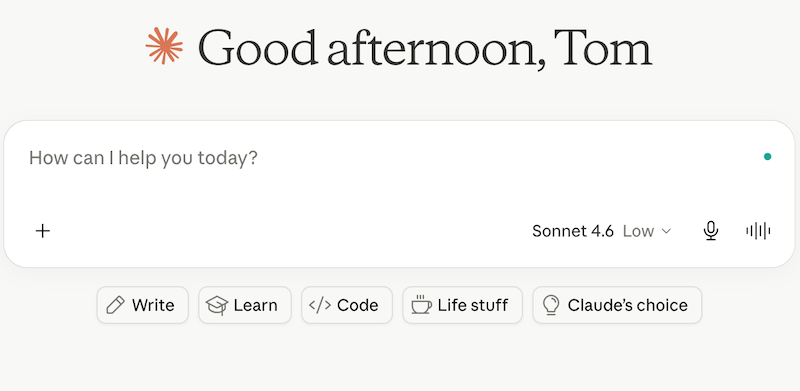
Planners who have tried tools like ChatGPT, Claude, Copilot or Gemini have probably had the following experiences: They typed in a prompt and got a response that felt surprisingly useful and met their particular needs. Or they typed in a prompt, got a bunch of generic text (AKA slop) that missed the point entirely and felt like a waste of time. What separates those two experiences isn’t usually the choice of LLM, but rather the user's question or prompt.
Prompt engineering is the practice of crafting inputs to an AI system in ways that produce better, more useful outputs. The term may sound technical, even intimidating, due to the "engineering" reference. But at its core this is something planners already do well in other contexts: framing a problem clearly, giving sufficient background and being specific about the intended product or output.
Think about how you describe a task to a new staff member. You don’t just say "write something about the zoning variance." You provide detailed context, information about the audience, the constraints, the deadline and what a good result looks like. Prompting AI works the same way. The more context and direction you provide, the more useful the end product will be.
It helps to be clear about what "context" actually means here. Context is the background information the AI does not already have but needs in order to return something useful. This includes who the work is for, what stage the project is at, what local conditions apply, what has already been decided, and what you are ultimately trying to produce. An AI tool knows nothing about your jurisdiction, your council's priorities, or the conversation you had with an applicant last week — unless you tell it. Without that information, it falls back on generic assumptions, which is exactly how you end up with text that sounds reasonable but does not fit your situation. Supplying context is what turns a generic response into one that reflects your actual work.
The anatomy of a good planning prompt
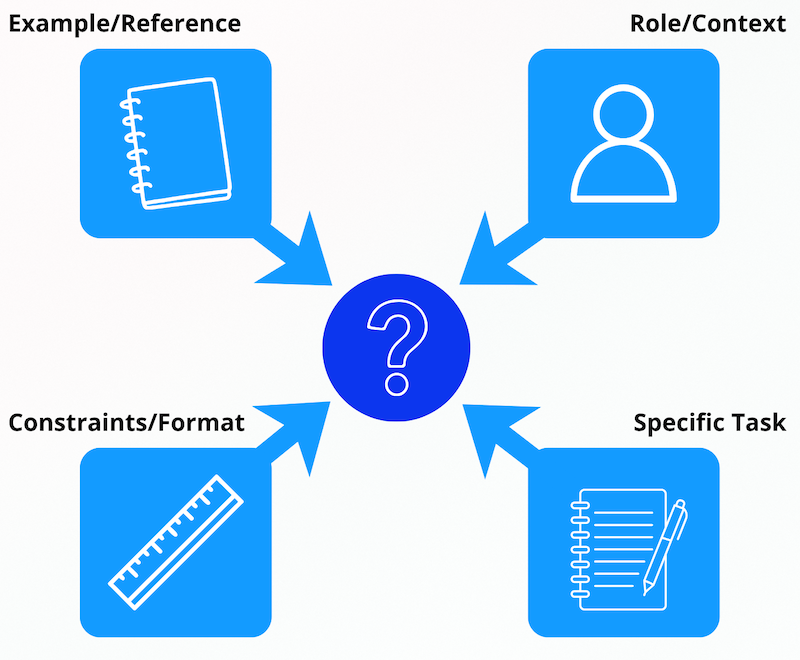
An effective prompt for planning work generally includes a few key elements:
1. A role or context. Telling the AI who it is working as, or what situation it is operating in, helps orient the response. "You are assisting a municipal planner in a mid-sized city drafting a staff report for the planning commission" produces a very different output than "help me write a staff report."
2. A specific task. Vague requests produce vague results. "Summarize the key concerns raised in these public comments" is better than "analyze this." Better still is something like: "Identify the three to five most frequently mentioned concerns from these public comments, and flag any comments that raise legal or procedural issues I should bring to the attention of the city attorney."
3. Constraints and format. If you need the output in plain language for a public-facing newsletter, say so. If you need it in bullet points for a presentation, say that. If you need it to stay under 300 words, say that too. AI will fill in whatever you leave unspecified, and what it generates may not be what you want or need.
4. Provide an example or reference point. If you have a previous staff report, a memo or even a sentence or two that highlights the tone you are going for, include it in your prompt either as a file upload or copy and paste as part of your prompt. Some LLMs are good at matching a style when you give them good guidance.
Chaining prompts: building workflows, not one-off queries
A common mistake for new AI users is treating it like a search engine: one question, one answer, done. More useful outcomes can usually be achieved when the task is treated like a collaborative process or conversation.
From my experience, better results are achieved when I work in sequences. I start with a broad prompt to get an outline or a first pass, then follow up with a more specific prompt to refine a section, then ask the AI to check for sources and accuracy and then finally ask it to adjust the tone. Each step builds on the last, refining or improving the output.
For example, a planner working on a housing needs assessment narrative might start like this: "Given the following demographic data, draft a two-paragraph summary of housing affordability trends for a general public audience." After reviewing the output: "The second paragraph is too technical. Rewrite it so that someone with no planning background can understand it." Then: "Add a sentence connecting these trends to the city's existing housing goals." This kind of iterative prompting, sometimes called a prompt chain, produces much more usable work than a single prompt would.
What planners are actually doing
The planners I have spoken with who are finding value in AI tend to develop what I would call a personal prompt library. It is nothing fancy, often just a document or a folder where they save prompts that have worked well for tasks that will need to be repeated: a rezoning notice that generated good plain-language text; a public comment summary that was the right length and level of detail; a project scope that required only minor editing before going out.
Over time, these prompts can be fine-tuned to become templates. The planner is not starting from scratch every time. They are refining and adapting prompts that they know tend to produce useful results in their specific context. This is where the efficiency gains that AI promises actually start to show up in practice.
It is also worth noting that context is extremely important. A prompt that works well for a comprehensive plan narrative may not work at all for a traffic study summary. Building fluency with prompting means building a sense of which approaches fit particular tasks.
A few things to avoid
Being too vague is the most common problem with AI prompting, as mentioned above. But there are others.
Overconfident output is a real risk. AI-generated text can sound authoritative even when it is wrong. Planners should treat any factual claim in AI output, especially statistics, citations or legal references, as something to confirm before it goes anywhere official.
Asking AI to make judgment calls is another trap. AI can help you draft language on trade-offs in a land-use decision, but it should not be used to generate ideas about what the community values most. This is and will continue to be the job of the planner, even more so in this new age of AI-generated policy language.
It should be obvious that copying and pasting without reviewing is, frankly, a professional liability. The output is a starting point, not a finished product.
The bigger point
Prompt engineering is not a technical skill for computer scientists or specialists. It is a communication skill, and that is what planners are trained to do. The gap between a planner who gets real value from AI tools and one who does not is often just a matter of having learned, through practice or through guidance, how to ask effective and detailed questions.
This learning curve is shorter than many people think. The effort is worth it, because the workflows that become possible are more useful in everyday practice.
–
P.S. Soon I will be leading a six-week Planetizen webinar series, Preparing Your Planning Agency for AI. It will focus on important considerations involved with adopting AI tools and processes within your planning office, department or program. If you’d like to learn more, you can join us for a free introduction session on June 24, or feel free to contact me if you have any questions by emailing [email protected] with "Question for Tom Sanchez" in the subject line.


5 ways to hallucination-proof your AI output
With public trust on the line, the stakes are high for urban planners to ensure accuracy in our AI work. Here’s how to do it.
Getting started with AI, part 2: What some planners are actually saying
Five practicing planners offer their advice for diving — cautiously — into using AI in their day-to-day work.

AI agents: What urban planners should know
The self-driving cars of the AI world open a trove of opportunities for planners — and a whole new set of challenges to overcome.
Planetizen Federal Action Tracker
A weekly monitor of how Trump’s orders and actions are impacting planners and planning in America.

Amtrak, CN end decades-long dispute with eight-year agreement
The new operating agreement establishes an updated framework for the companies to work together, including processes to resolve disputes.
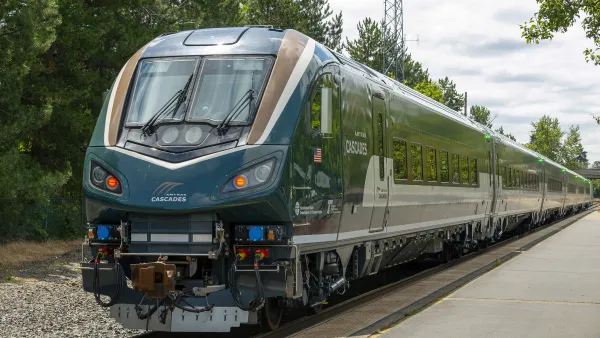
Northwest rail fans eager for Sept. 30 debut of Amtrak’s Airo fleet
Get ready for that new train smell and more seats. But they won’t go faster or run more frequently on the Cascades route in Washington and Oregon.

Brightline Florida expected to file for bankruptcy this week
The transit agency is over $5 billion in debt.

Atlanta City Council unanimously backs $3.5 billion Beltline light rail project
The resolution was drafted after Atlanta Mayor Andre Dickens pulled support for the Atlanta Streetcar extension last year.

SEPTA to bring nearby frequent transit to over 1 million new riders as part of decade-long plan
The agency's Accelerate plan will also bring frequent transit to twice the amount of jobs that are currently located near it.

FREE Course: Walkable City 1: Why Walkability?
After describing his path towards focusing on walkability as the essence of good planning, Jeff Speck marches through his five principal reasons for making more walkable places.
Reinventing Malls: Planning Alchemy—Turning Gray Fields Into Gold
The course focuses on the opportunities and imperatives that shape reinvention of mall sites.

City of Thousand Oaks
City of Wisconsin Rapids
Harvard University Graduate School of Design
The Architects Foundation
University of Cincinnati Online
The Pocatello Development Authority
The Urban Renewal Agency of the City of Pocatello

